

Download HappyMod APK for Android
HappyMod is a third-party Android app marketplace for modified apps and games. Explore different MOD versions that may offer premium features for free, unlocked content, extra resources, and other modifications. Compare available MODs and community working reports to find the version that suits you.
Version 3.4.0 is the latest build currently treated as sufficiently verified from the checked file and release details.
Before You Download
Use these file and device details to confirm that the APK you download matches the version referenced on this page.
- Check version and package name.
- Confirm Android 5.0+ compatibility.
- Read Android security warnings.
- Use the installation guide if Samsung Auto Blocker appears.
What Is HappyMod APK?
HappyMod is a third-party Android marketplace built around community-modified apps and games rather than the standard developer-published apps found on Google Play. Instead of offering only one official version, HappyMod can list multiple MOD versions of the same app or game with different modifications. Unlike Google Play, its catalog can include multiple modified APK builds with different MOD features, versions and user functionality reports.
Think of it as a separate Android app marketplace. You install HappyMod first, then search for an app or game, read the MOD details, choose the build you want, and download that MOD as a separate APK file.
- Designed for Android: HappyMod is made for Android devices.
- Main purpose: finding and downloading modified apps and games.
- Important: HappyMod is the marketplace; MODs inside it are separate APK files.
Types of MODs Available on HappyMod
Available MOD features vary by app, game and build. A listing may offer one or more of the following modifications.
HappyMod Apps and Games
HappyMod Games
HappyMod includes modified Android games with different MOD builds and features depending on the title and version.
HappyMod Apps
App MODs may include unlocked features, ad-free variants, premium functionality, or other app-specific changes when available.
Inside the HappyMod App
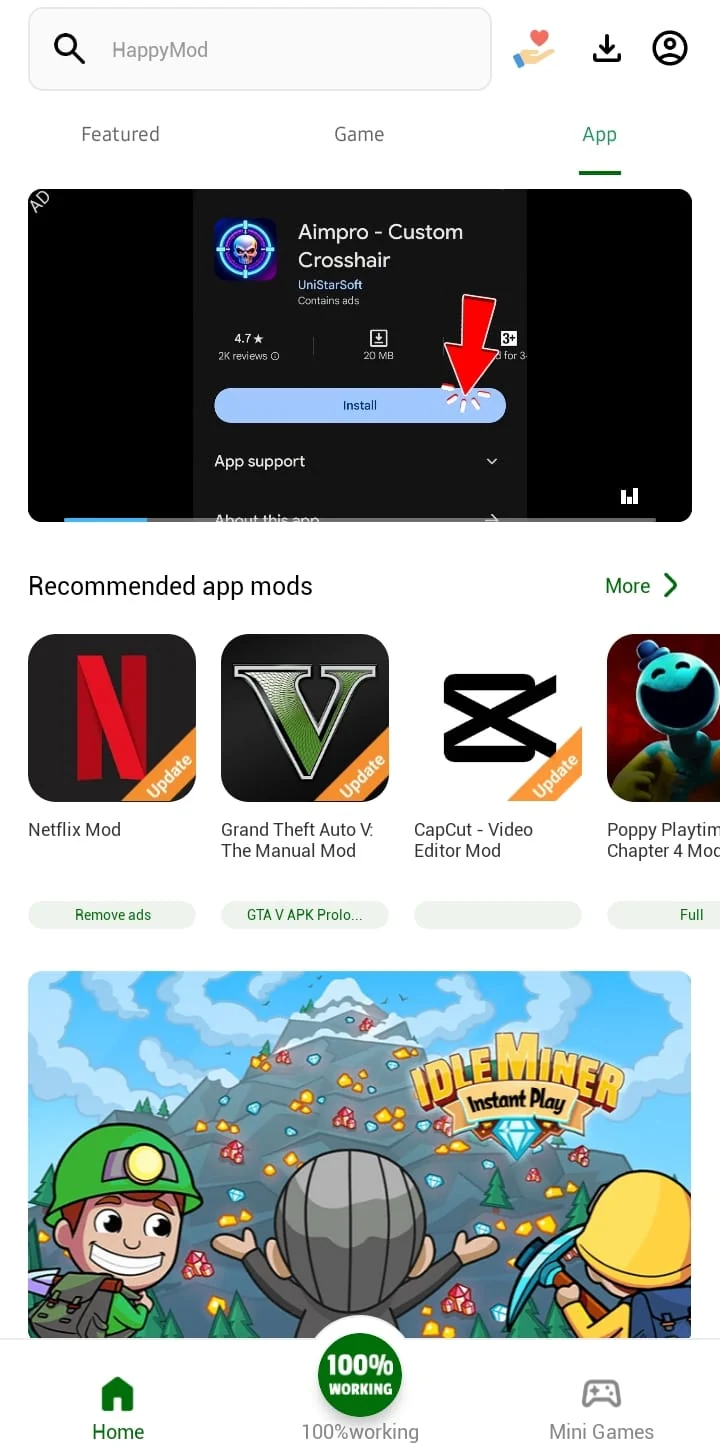
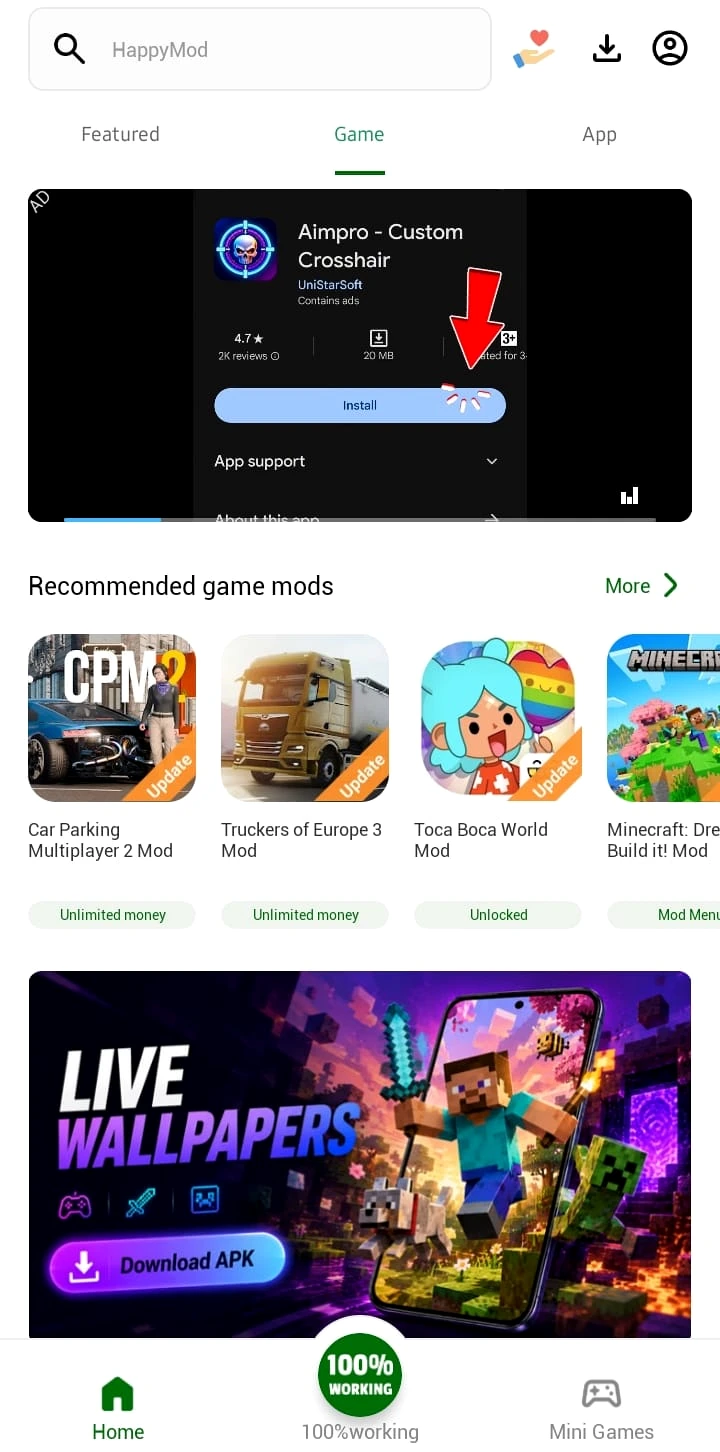
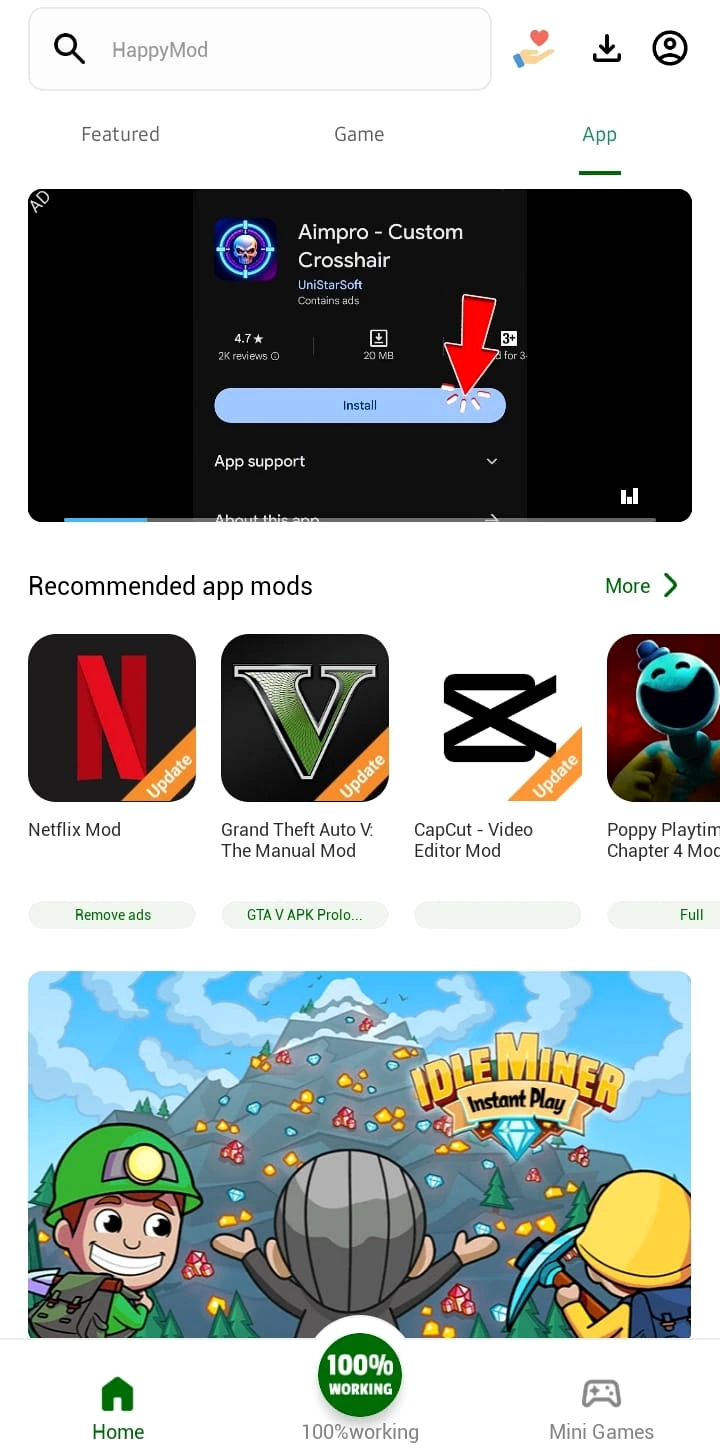
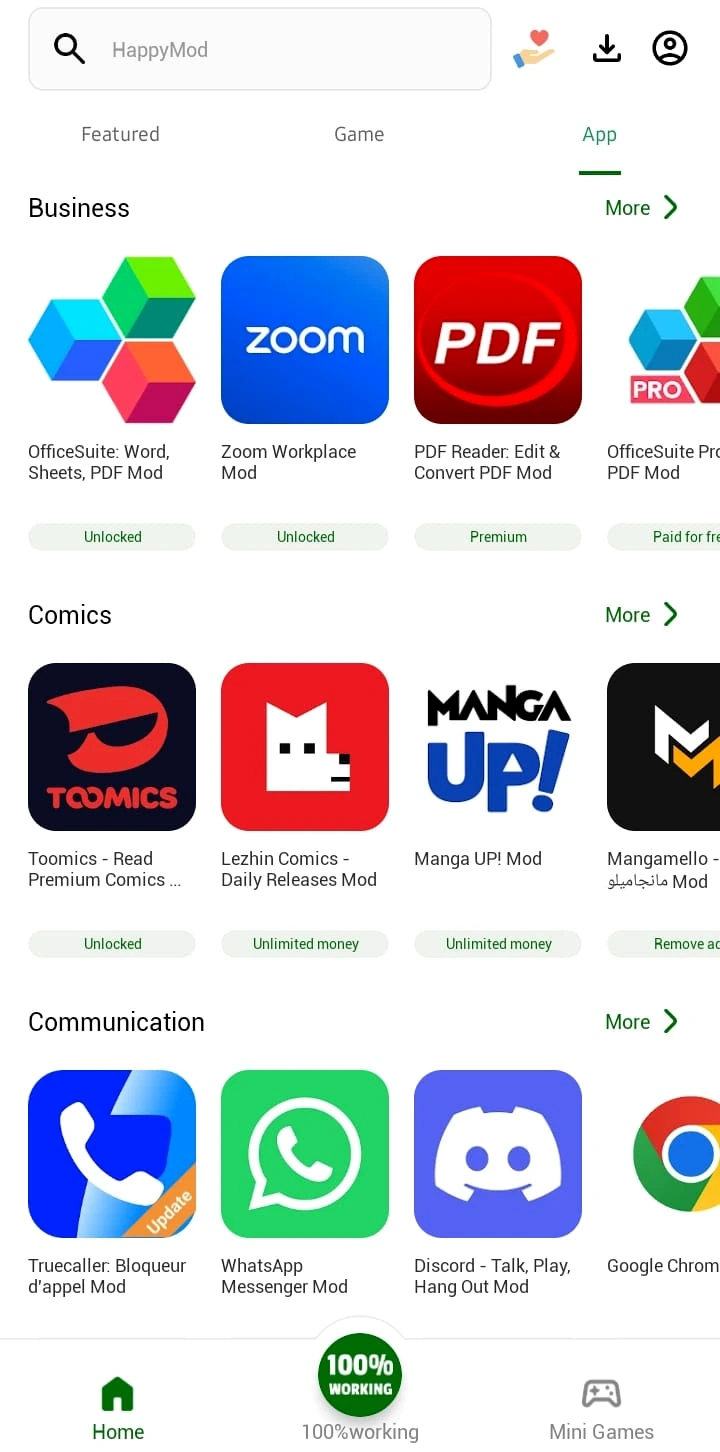
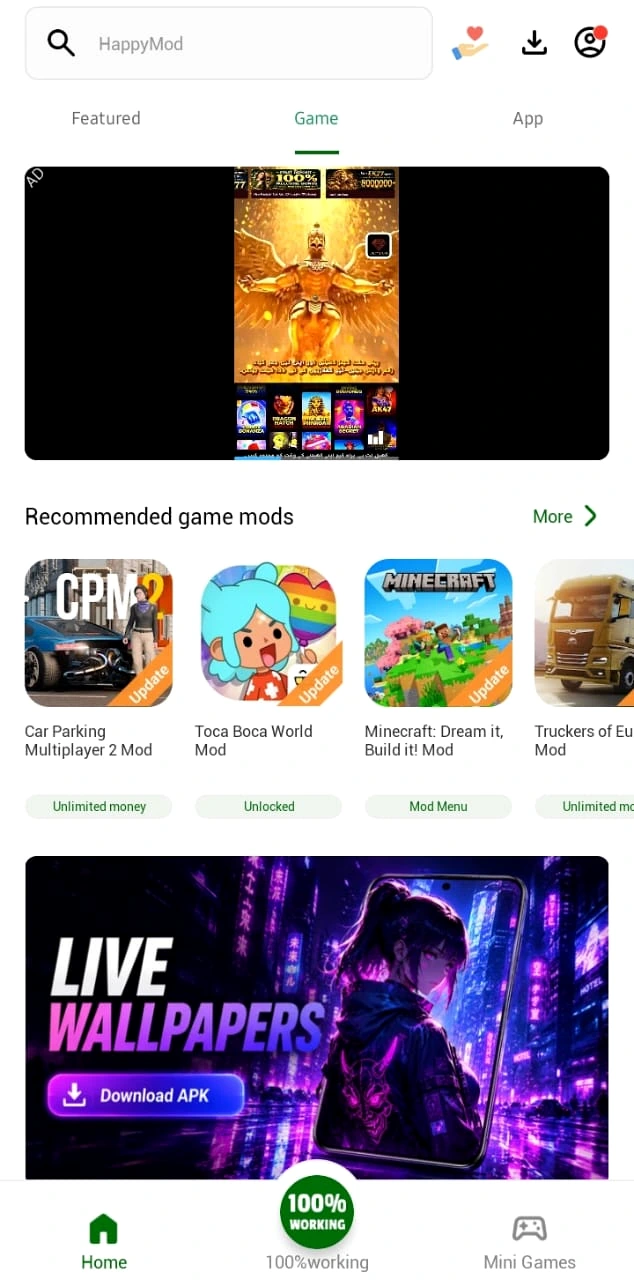
These real app screens help visitors see the HappyMod interface, catalog, categories and MOD information before downloading.
HappyMod Features
HappyMod combines catalog browsing, MOD selection, downloading, account options, feedback and sharing in one Android interface.
Multiple MOD Versions
Choose between different modified builds of the same app or game.
Easy Login
Sign in quickly when you want account-based features.
Guest User
Browse the catalog without making the whole experience depend on registration.
Fast Downloading
Download MOD APKs through HappyMod’s built-in download flow.
App Feedback
Ratings, reviews, and working reports help show whether a MOD still functions.
App Sharing
Share app or game listings with other users more easily.
Multiple Languages
The interface can support users across different language markets.
Search & Categories
Search exact titles or browse by app and game categories.
What’s New in HappyMod 3.4.0?
Version 3.4.0 focuses on stability, interface refinements, performance and device compatibility.
Changes to the user interface and app experience.
Responsiveness and compatibility improvements.
Why version numbers differ: Other download sites may display higher build numbers, but a higher number alone does not confirm a newer official release. This page keeps 3.4.0 as the currently verified reference build.
How to Download and Install HappyMod APK
First install the HappyMod marketplace itself. Because it is distributed as an APK outside Google Play, Android may treat this as sideloading.
Download HappyMod APK
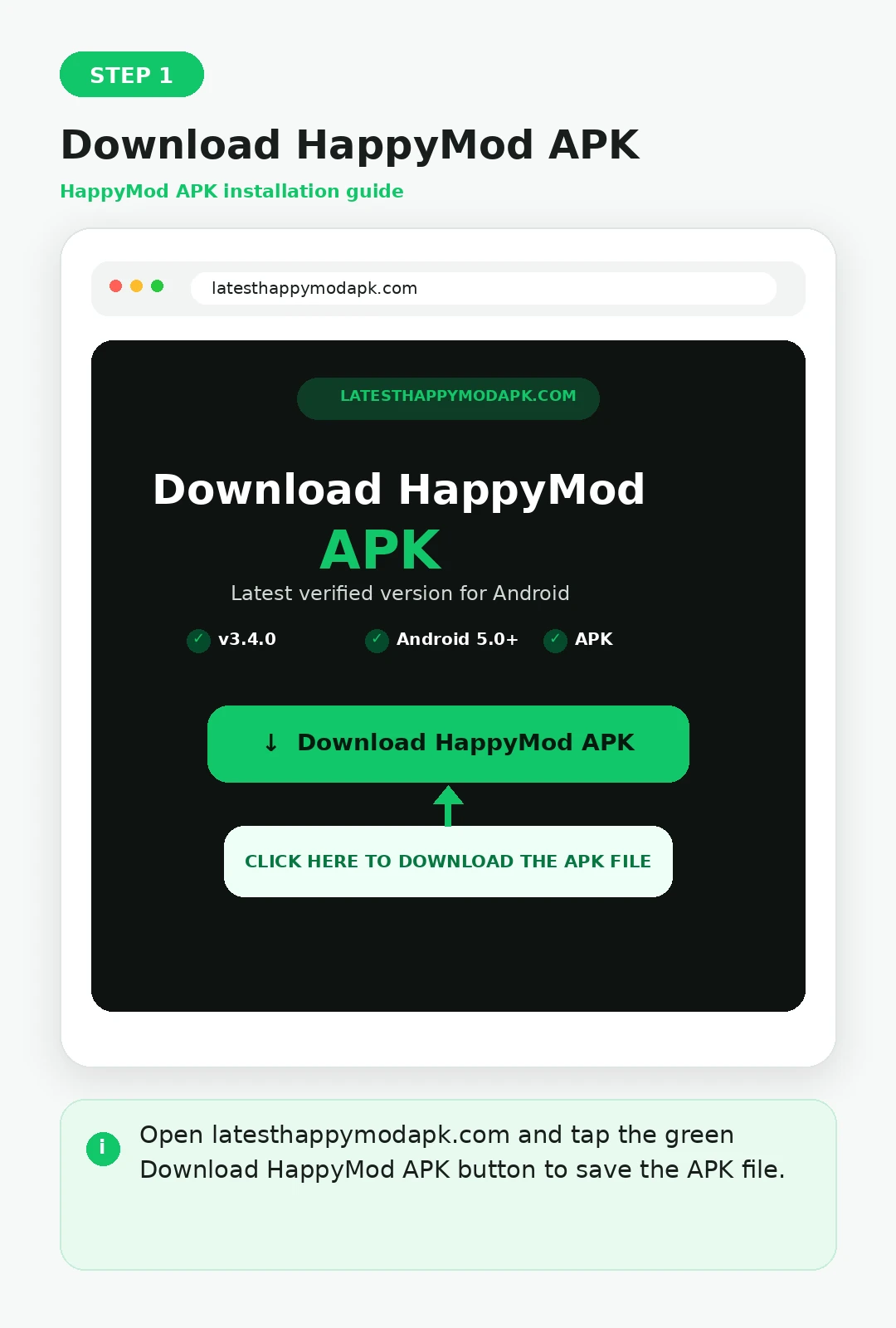
Open the HappyMod download page and save the APK file to your Android device.
Open the APK
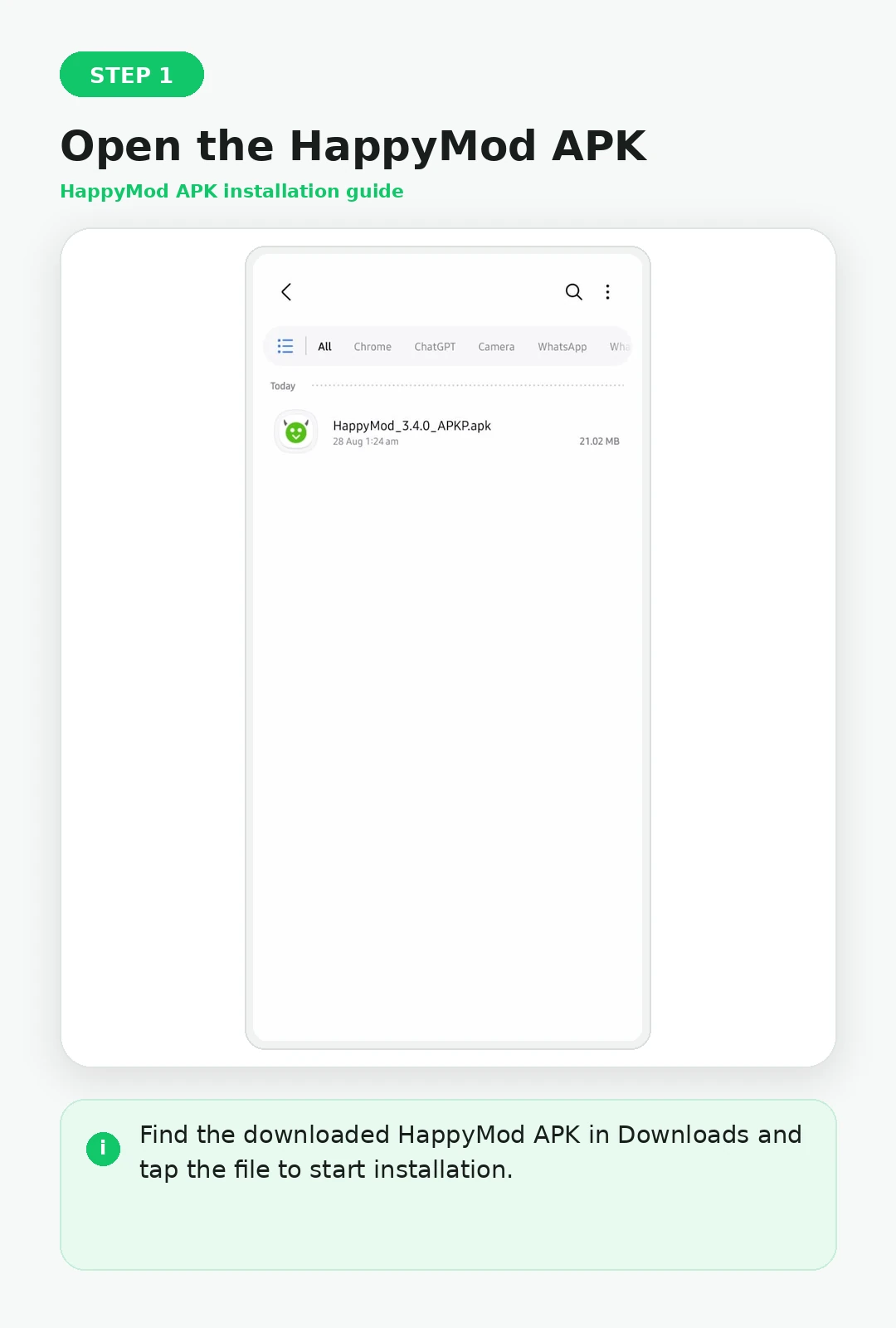
Open the downloaded file from your browser downloads or Android Downloads folder.
Allow Installation
If Android asks, allow installation from the browser or file manager that opened the APK.
Install and Open
Tap Install, wait for Android to finish, then open HappyMod.
HappyMod Installation Screenshots
Download HappyMod APK
Open the HappyMod download page and save the APK file to your Android device.
Open the Downloaded APK
Open the downloaded HappyMod APK from your browser downloads or Android Downloads folder.
Allow Installation
If Android or Samsung security settings block the APK, review the warning and allow installation from the browser or file manager that opened the file.
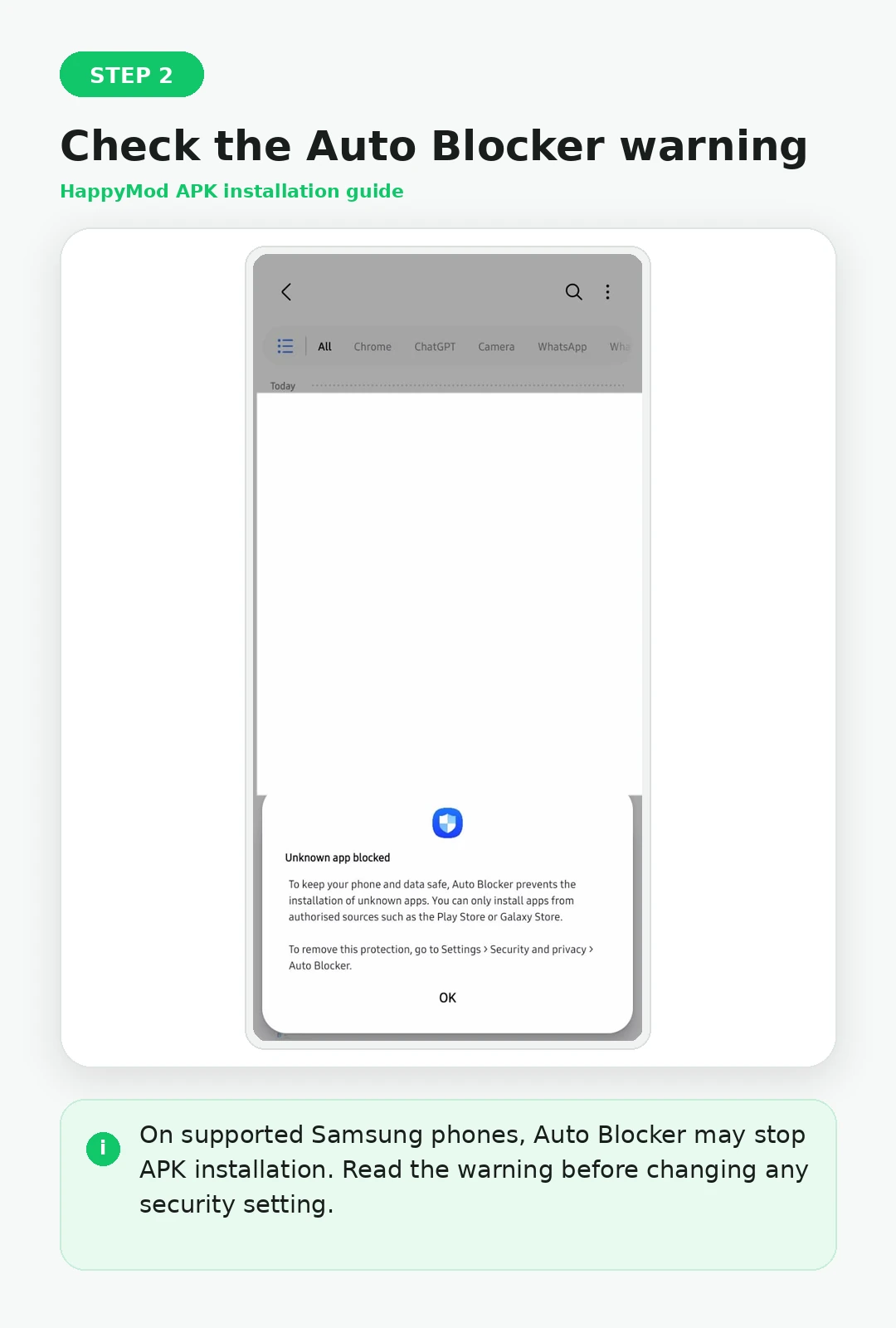
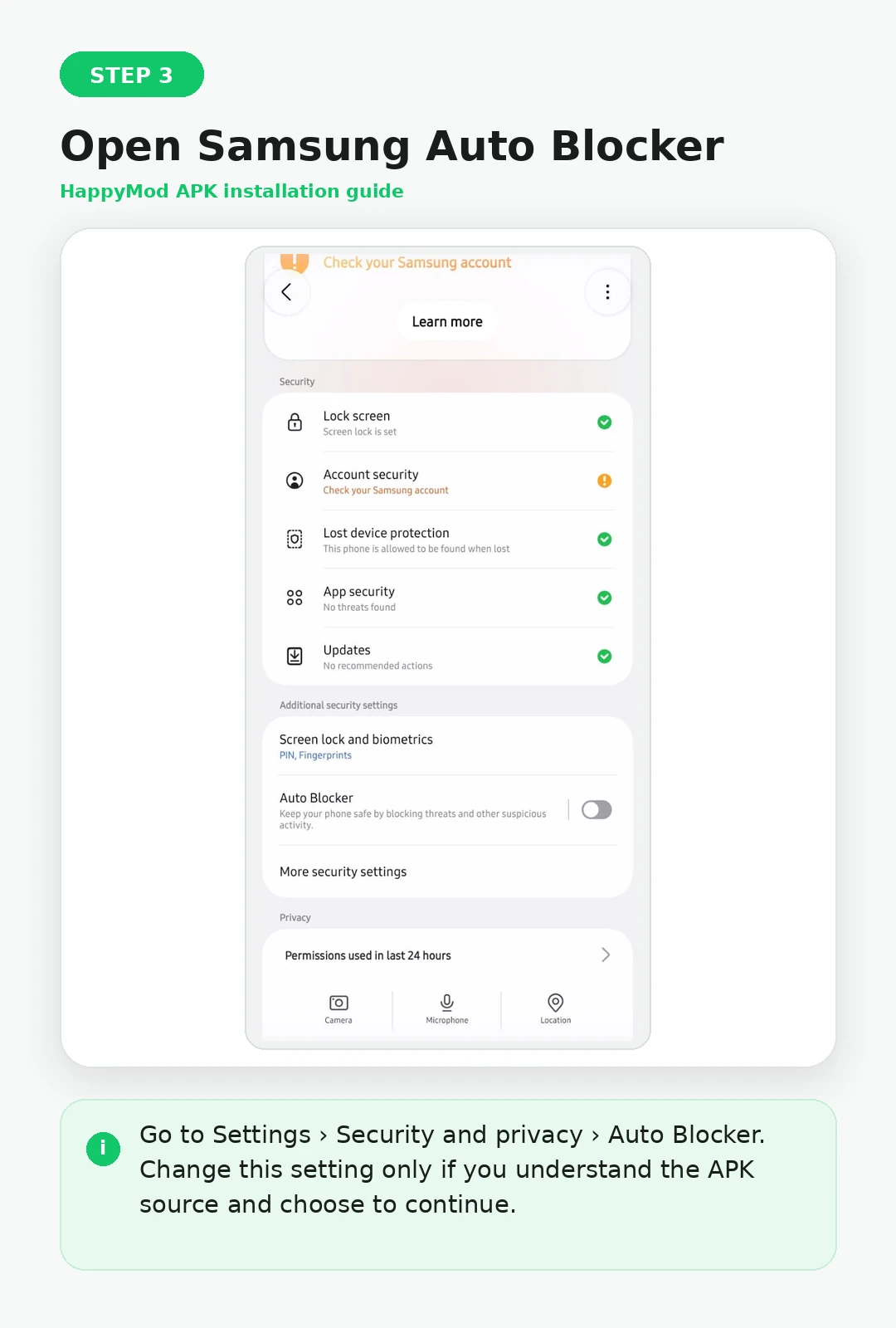
Samsung: Disable Auto Blocker if Required
On supported Samsung devices, Auto Blocker can prevent APK installation. Change this setting only if you understand the warning and want to continue.
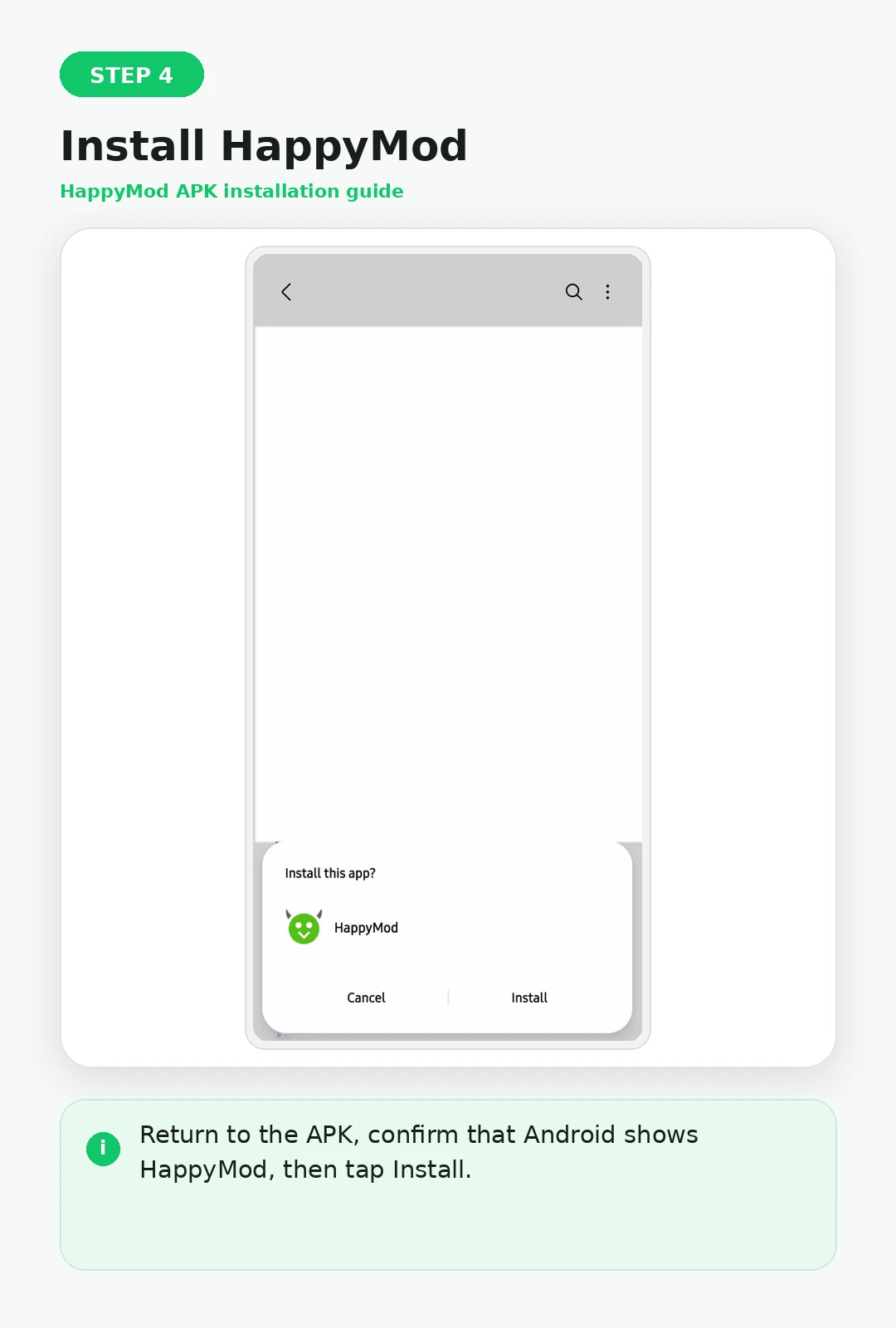
Install HappyMod
Tap Install and wait for Android to finish installing the HappyMod marketplace.
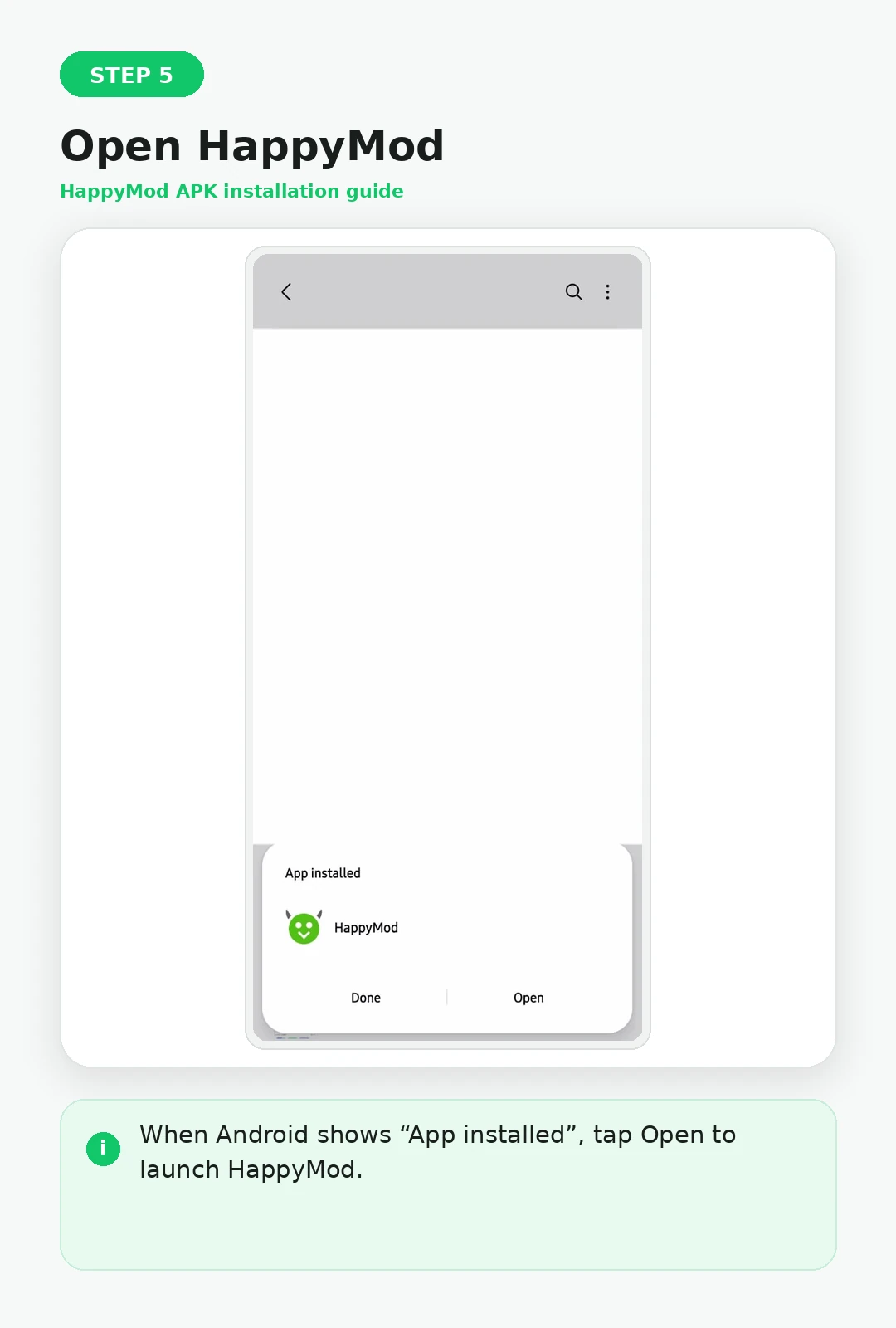
Installation Complete
When Android confirms that the app is installed, you can open HappyMod and continue to the separate app or game MOD download process.
Back to the HappyMod installation steps ↑
How it Works: Download Apps and Games From HappyMod
Once HappyMod is installed, use this separate process to find an app or game, compare available MOD builds, review the listing and download the selected APK.
Find the App or Game
Search for the exact title you want inside HappyMod.
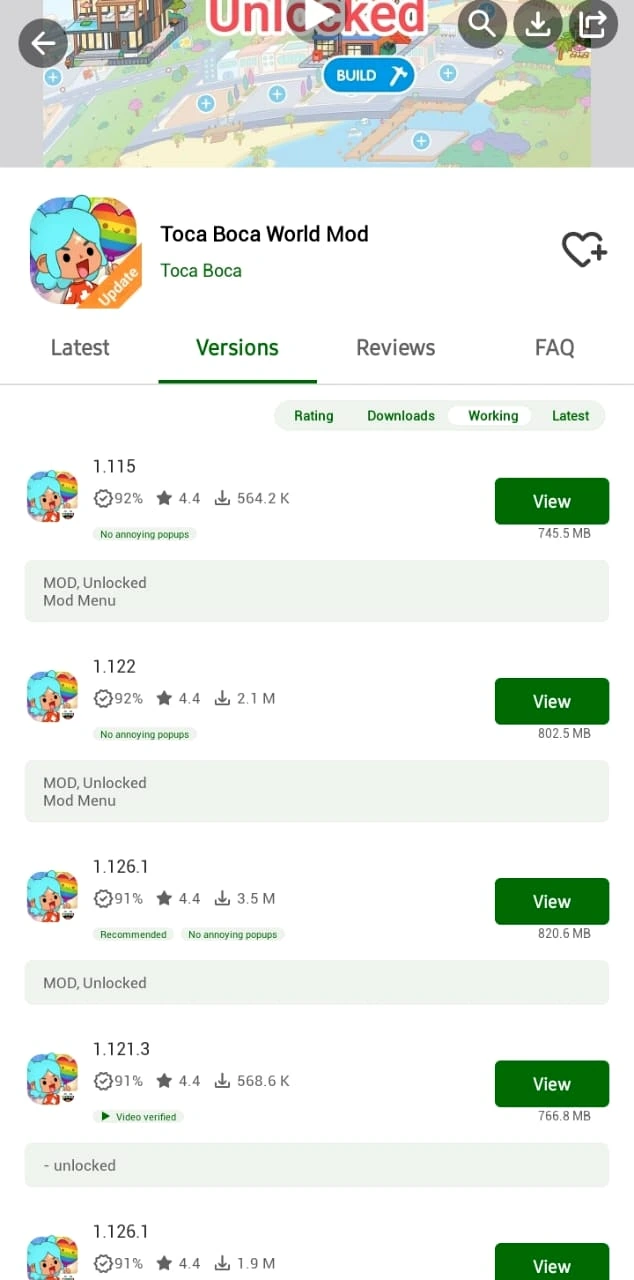
Choose a MOD Version
Compare the available MOD builds and select the one that matches the feature you need.
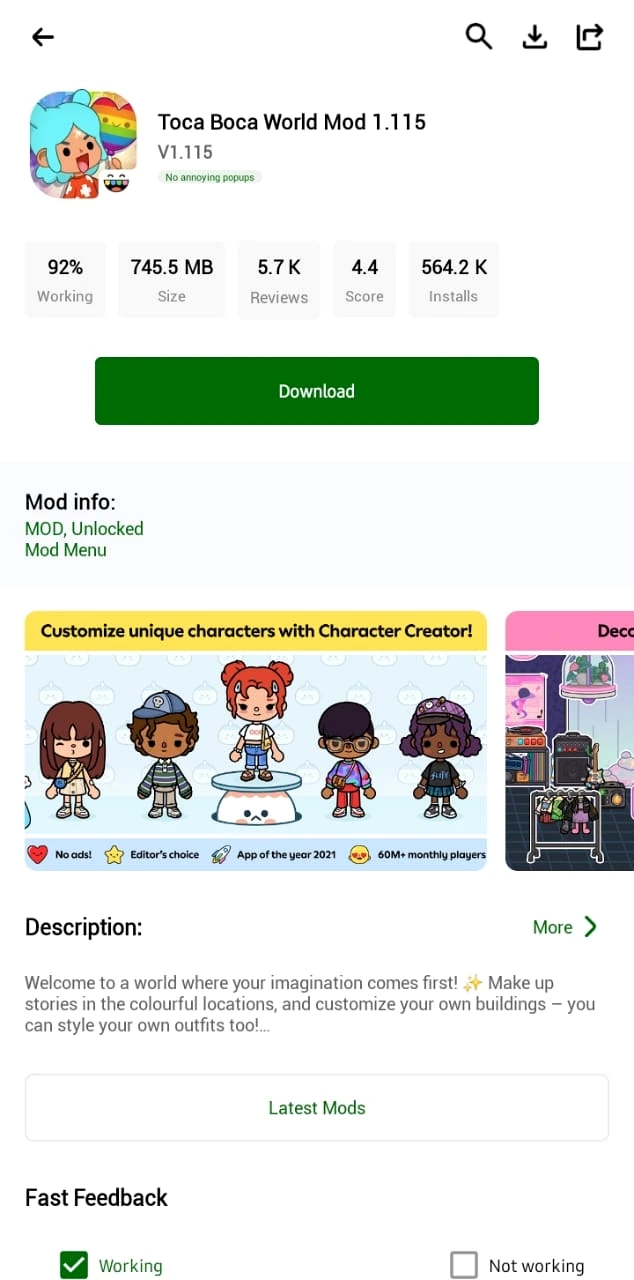
Check MOD Details
Review the MOD feature, app version, update date, compatibility and functionality feedback.
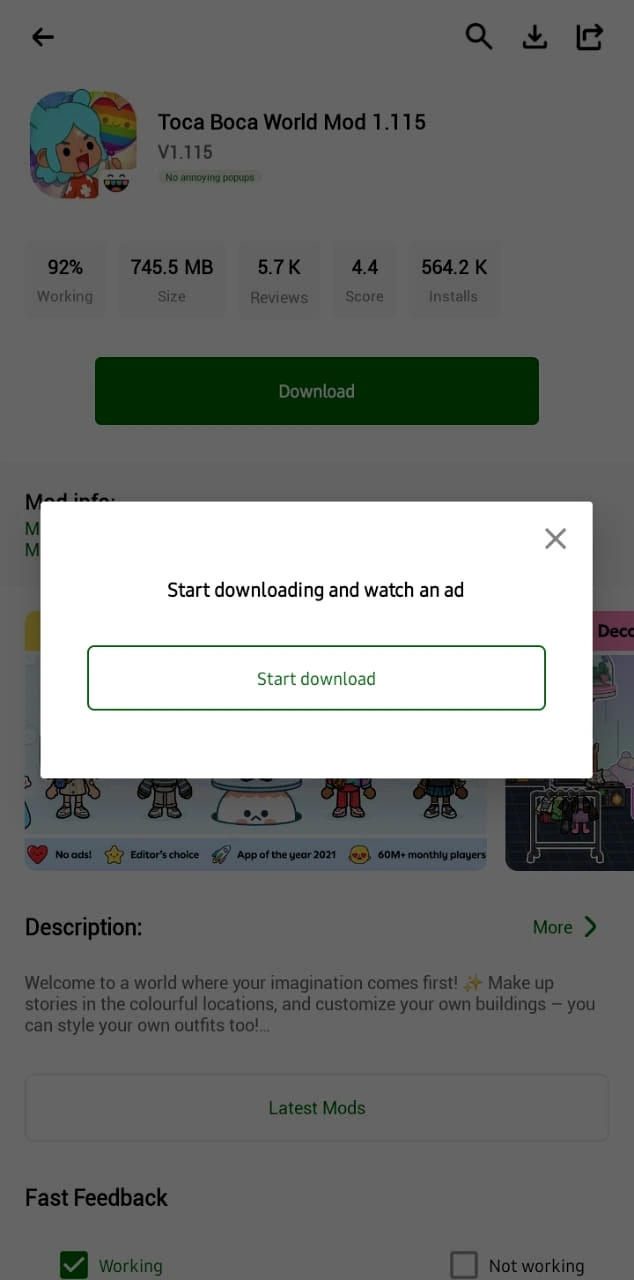
Start the Download
Tap Download and follow the HappyMod download prompt.
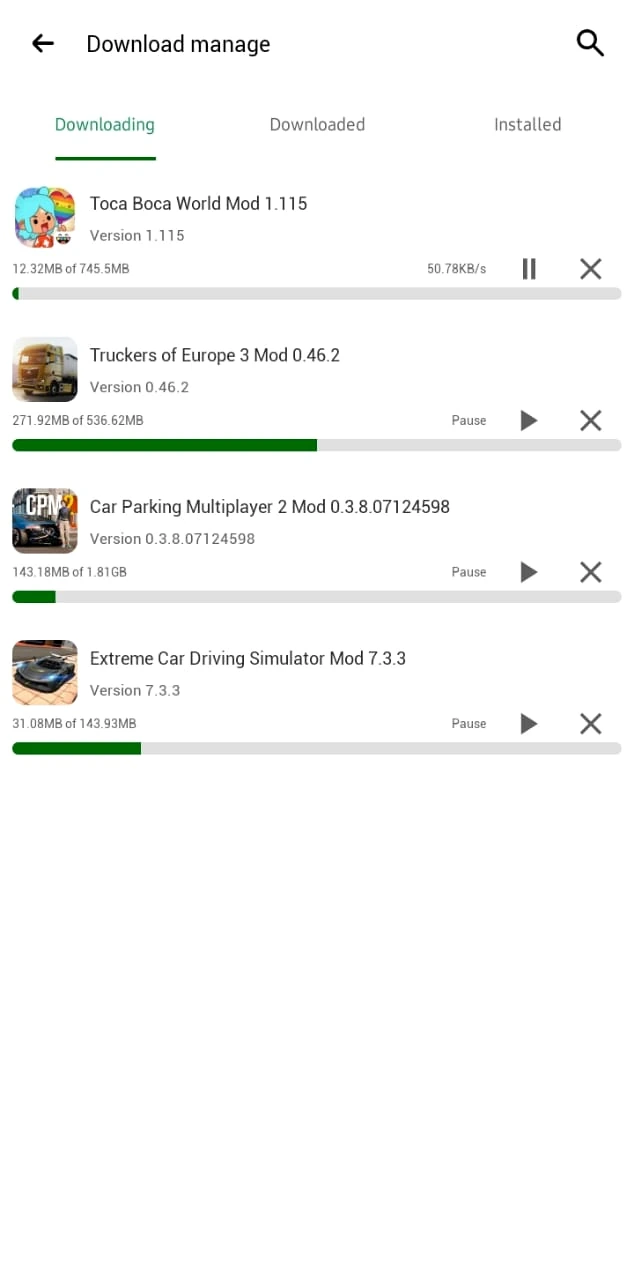
Track the APK
Use HappyMod’s download manager until the selected MOD APK is ready.
What Does “100% Working” Mean?
A “100% working” score refers to reported MOD functionality. It is not a security score and does not prove that an APK is safe.
Community reports can help indicate whether a MOD still works with a particular version, but they are functionality feedback—not a security check.
Is HappyMod Safe?
HappyMod safety cannot be reduced to one yes-or-no result. The marketplace APK, each downloaded MOD APK and any connected account create separate risks.
HappyMod App
Check the marketplace APK installed on the Android device.
Individual MOD
Each modified APK is a separate file and needs its own checks.
Account Risk
Some services prohibit modified clients in their rules or terms.
HappyMod vs Google Play Store
How to Update HappyMod APK
When a newer verified build is available, update by checking the file details, downloading the new APK and installing it over the existing HappyMod app.
Check the New Version
Confirm the version number, package name, Android requirement, and file details.
Download the New APK
Use the same trusted download source and save the updated APK to your Android device.
Install the Update
Open the APK and let Android update the existing HappyMod app when the package matches.
Confirm It Opens
Launch HappyMod and confirm your app works normally after the update.
HappyMod for PC and iPhone
HappyMod for PC
HappyMod is built for Android. PC or Mac use generally requires an Android emulator, while Android APK files cannot be installed directly as native apps on iPhone or iPad.
HappyMod for iPhone
A HappyMod APK cannot be installed directly on an iPhone or iPad because APK is the Android application format.
HappyMod Not Working?
Installation errors, parsing errors, blocked downloads, crashes and security warnings can have different causes. Use the dedicated troubleshooting guide for the matching error.
HappyMod Pros and Cons
Compare the main advantages and trade-offs of using a third-party MOD marketplace on Android.
Pros
- Large catalog of modified apps and games.
- Different MOD variants can be available for one title.
- MOD descriptions explain what a build changes.
- Community feedback helps indicate functionality.
Cons
- It is a third-party marketplace, not Google Play.
- MOD APK quality and permissions can vary.
- Updates are not managed like Play Store updates.
- Some online services restrict modified clients.
Who Should and Shouldn’t Use HappyMod?
Use these quick cards to decide whether HappyMod fits the way you use Android apps and games.
HappyMod May Suit You If
- You want to explore modified Android apps and games.
- You want to compare different MOD builds and features.
- You understand that third-party APK files need extra checks before installation.
HappyMod May Not Suit You If
- You only want developer-published releases from official app stores.
- You prefer automatic Play Store updates and official developer support.
- You do not want to sideload APK files or manage Android installation permissions.
HappyMod Pro, Extra and Older Versions
HappyMod Pro
Terms such as HappyMod Pro and HappyMod Extra are used on third-party sites and should not automatically be treated as separate official editions. Older verified builds are a different case and may help with compatibility.
HappyMod Extra
“Extra” is a third-party label and does not by itself prove a build is newer or official.
HappyMod Old Versions
Older builds can sometimes help device compatibility but may miss newer fixes or stop working with current services.
Frequently Asked Questions
Do I need an account to download from HappyMod?+
No. You can generally browse and download without making the homepage experience depend on an account.
Does HappyMod require root?+
Installing the standard HappyMod APK does not automatically require root access.
What is the latest HappyMod version?+
The latest build we currently treat as sufficiently verified is 3.4.0.
Is HappyMod 3.4.1 official?+
We do not treat a higher version number on a third-party page as proof by itself.
What is the official HappyMod website?+
Check publisher and package information carefully because multiple third-party download sites use HappyMod branding.
Where does HappyMod save APK files?+
Downloaded APKs are normally available through Android’s Downloads area or the app’s own download manager.
What is the difference between APK, XAPK and OBB?+
APK is the Android app package. XAPK can bundle APK files with extra data, while OBB files are additional app or game data.
Can HappyMod work without internet?+
Some already-installed content may work offline, but browsing and downloading MODs normally requires internet access.
Is HappyMod Worth Using?
HappyMod APK is a practical option for Android users who want to find and compare modified versions of apps and games.
However, MOD APKs are third-party files. A high working score only suggests that a MOD worked for other users; it does not prove that the file is safe. Check the version, permissions and file details before installing any APK, and avoid using modified apps with important accounts or sensitive information.
Bottom line: HappyMod can make finding and comparing MOD APKs easier, but each file should still be reviewed individually before installation.
Download HappyMod APK